Here are the projects we have published so far. Most began as a place to tinker with a particular idea or technology; others were built as teaching tools. Click a picture to read more about it, the link icon to open it, and the GitHub cat to look at the code or fork the repository.
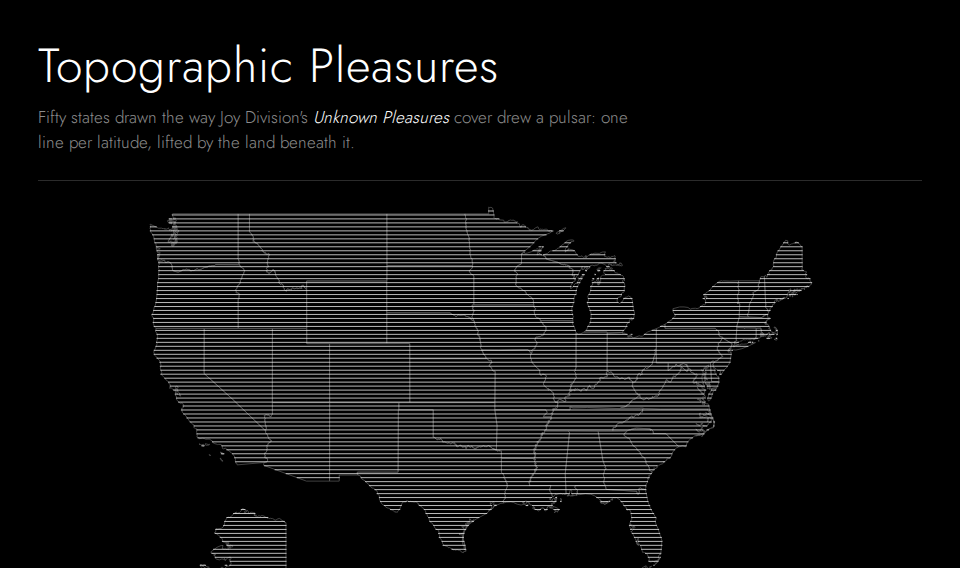


Joy Division turned scientific data into art. Peter Saville's 1979 sleeve reproduced Harold Craft's plot of successive pulses from the pulsar CP 1919, each trace hiding the ones behind it. Topographic Pleasures borrows that connection between the scientific and the creative and applies it to real elevation data, so each state is at once recognisable and novel.
The front page is a map of the United States, Alaska and Hawaii included, drawn as flat lines inside faint state outlines. Move across it and the state under the pointer rises to show its terrain; click it to open the state's page. There you can tune the drawing, how many lines, how tall the mountains, how fine the detail, the projection and the colours, and download it as an SVG or a one-page vector PDF. Settings live in the link, so a drawing can be shared.
Elevation is the USGS/NGA GMTED2010 30 arc-second grid and the outlines are the US Census Bureau's cartographic boundaries, both public domain. It began in 2021 as California Pleasures, a single script for one state.
Built from commit 8625633, 2026-09-23.
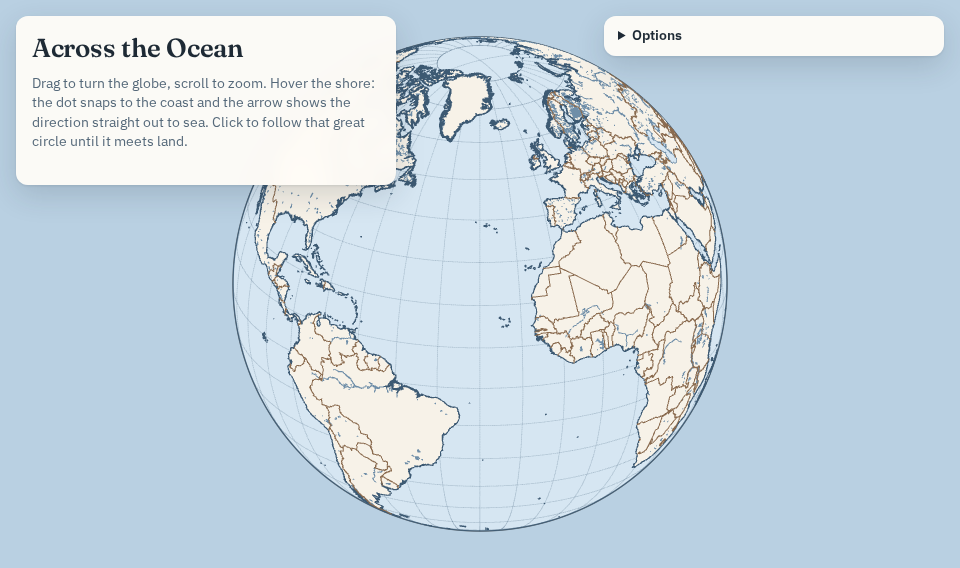
Stand on any shore, look straight out to sea, and this page finds the first coast a great circle meets when it leaves your beach at right angles to the shoreline. Not the country that happens to share your latitude, which is what the popular "what's across the ocean" maps show, but where you would actually arrive if you sailed dead ahead.
Drag the globe to turn it and scroll to zoom. The cursor snaps to the nearest shoreline, and an arrow shows the direction straight out to sea. Press Space to follow that great circle until it meets land. The results panel draws the route on a world map in the projection of your choice and lists the countries, seas and nearest towns along the way, with the line-of-latitude answer beside it for comparison. Results have shareable links.
Coastlines come from GSHHG, countries and seas from Natural Earth, and towns from GeoNames. The data build and the shoreline format are documented in the repository.
Built from commit db1a7fd, 2026-09-23.
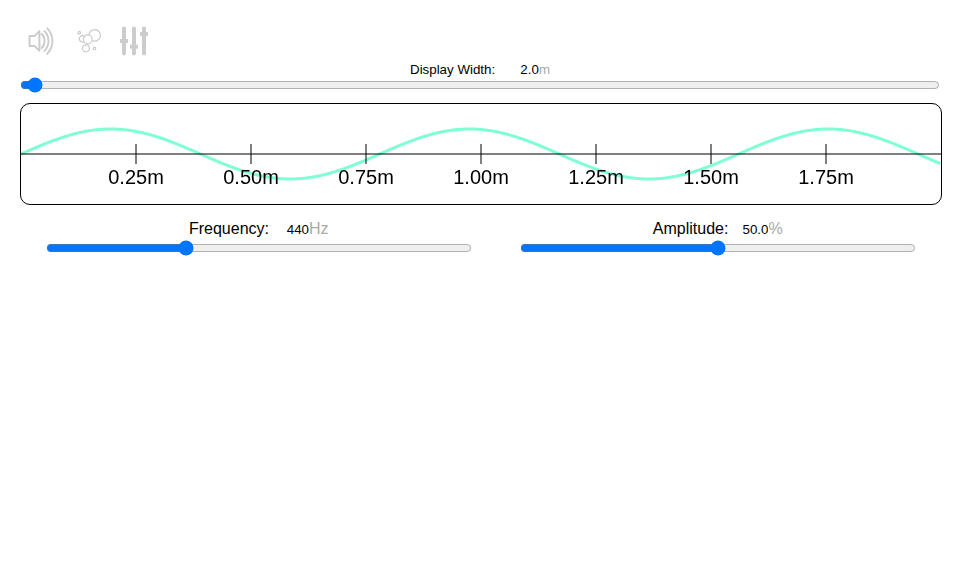
The frequency generator was developed as part of the Scripps Classroom Connection, a fellowship program that pairs graduate students with middle school teachers to develop science curriculum. It generates one or more sinusoidal waves and makes them audible with the browser's Web Audio API.
The speaker button turns the sound on and off. The particles button shows the physical nature of sound, a pressure wave compressing air. The multi-channel button switches to several waves at once, each with its own frequency, amplitude and phase, summed into the master wave at the top. The display width slider changes how many metres of the wave are shown, at the speed of sound in dry air at 20 °C, 343.2 m/s.
Try beats: in multi-channel mode add a second channel, set one to 440 Hz and the other to 450 Hz, and unmute. You will hear a 440 Hz tone pulsing ten times a second. Widen the display to 100 m and the pulsing appears in the master graph. The beat is interference between the two waves, and its frequency is the difference of theirs. Keep the volume low; listening at high volume or for long periods can damage hearing.
Built from commit 75dc391, 2026-09-23.
No project has all of those tags. Remove one to widen the list.